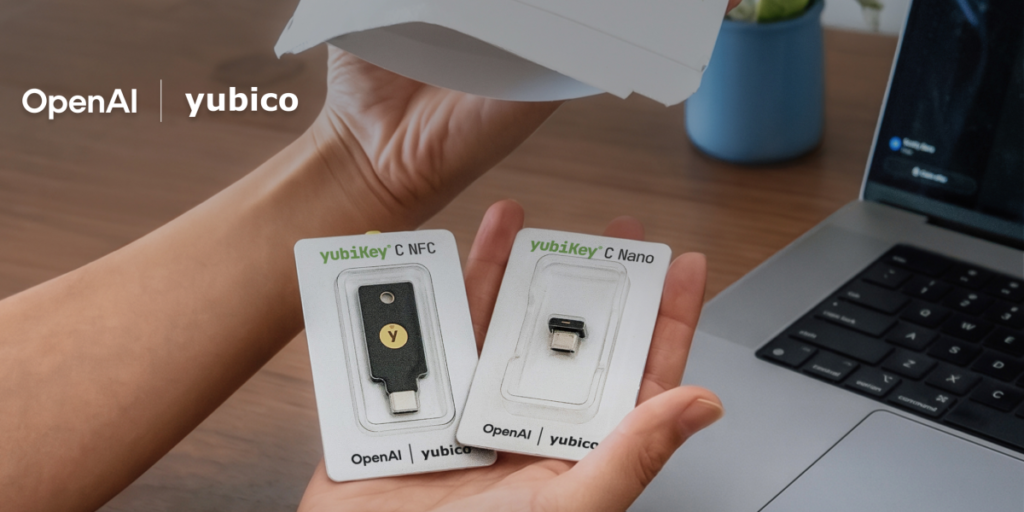

OpenAI is finally giving ChatGPT users something beyond SMS-based two-factor authentication. The company announced a new security initiative today that includes an opt-in program for hardware security keys, courtesy of a partnership with Yubico.
For anyone who’s been paying attention to the parade of account takeovers and phishing attacks targeting AI service users, this is a long-overdue move. SMS 2FA has been the default for years, and we all know how easily SIM-swapping can bypass that. Hardware keys like YubiKeys are the gold standard for phishing-resistant auth, and it’s good to see OpenAI finally joining the party.
Here’s what’s actually happening: ChatGPT users can now opt into using a physical security key (YubiKey 5 Series or YubiKey Bio) as their second factor. This is separate from the existing TOTP-based authenticator app support, which I’ve found clunky on mobile. The hardware key option works via FIDO2/WebAuthn, meaning it’ll work across browsers and devices without needing to type codes.
The setup process is straightforward — head to your account settings, enable the security key option, and register your device. You’ll need to have a YubiKey handy, obviously, but OpenAI isn’t locking you into their own hardware. Any FIDO2-compliant key should work, though Yubico’s are the most widely supported.
What I find interesting is the timing. OpenAI has been under increasing pressure from enterprise customers who demand proper security controls before rolling out ChatGPT to their workforce. Hardware key support is table stakes for any serious SaaS product these days. Microsoft, Google, and Apple have all supported FIDO2 for years. OpenAI is late to this party, but at least they showed up.
The catch? It’s opt-in. That means the vast majority of users will remain on SMS or TOTP, which is still vulnerable to phishing. OpenAI should have made this mandatory for certain account tiers — say, anyone with API access or billing information. But I suspect they’re being cautious about friction. Every extra step in the login flow reduces conversion rates, and OpenAI cares a lot about growth.
There’s also the matter of recovery. If you lose your security key, you’ll need backup codes or a second registered key. OpenAI’s documentation covers this, but it’s worth noting that hardware key setup requires planning. Don’t be the person who locks themselves out of their ChatGPT account because they misplaced a tiny USB stick.
I’d also like to see support for passkeys, which are essentially FIDO2 credentials stored on your device’s secure enclave. That would eliminate the need for a physical key altogether while maintaining phishing resistance. Apple and Google have been pushing passkeys hard, and OpenAI integrating that would make security seamless for most users.
For now, this is a solid step forward. If you’re serious about securing your ChatGPT account — especially if you use it for work or have sensitive conversations stored — go enable this. It takes five minutes and saves you from the headache of dealing with a compromised account.
Just don’t expect this to solve all of OpenAI’s security problems. The real threats are often at the API level or through third-party integrations, and hardware keys won’t protect you from a malicious plugin or a leaked API key. But for account-level protection, this is the best option available right now.
Comments (0)
Login Log in to comment.
Be the first to comment!