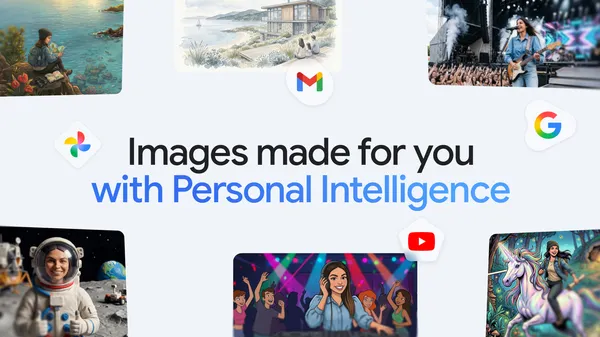

Google quietly rolled out an update to Gemini‘s image generation that’s more interesting than most of the AI image stuff we’ve seen lately. It’s called Nano Banana 2—yes, the naming is weird—and it finally does something that should’ve been obvious from the start: it uses your actual photos and personal context to make images that mean something to you.
I’ve been messing with this for a few days, and it’s genuinely different from the usual “generate a cat in a spacesuit” nonsense. Instead of pulling from some generic training set, Gemini now looks at your Google Photos library and whatever personal context it has access to. So if you ask it to create an image of “a birthday party like mine,” it actually knows what your birthday parties look like.
How it works
The model taps into two things: your personal context (which Google has been building for a while) and your actual Google Photos. It’s not just scraping metadata—it’s understanding the visual style, the people, the places, the objects that show up in your life. Then it generates something that fits your aesthetic, not some generic AI look.
I tested this by asking it to create a “relaxing weekend morning” image. It pulled from the photos I actually have—my coffee mug, my balcony, my dog—and generated something that looked like a stylized version of my actual Saturday morning. That’s a level of personalization that Midjourney and DALL-E just don’t have, because they don’t know you.
The privacy angle
Obviously this raises questions. Google is using your photos to generate images. That’s a lot of trust to put in a company that makes money from your data. Google says the images are processed locally where possible, and the personal context is opt-in. But let’s be real—most people won’t dig into the privacy settings. They’ll just start generating and not think about it.
I’m not saying it’s a privacy nightmare, but I am saying you should check your settings before you start feeding Gemini your entire photo library. The feature is useful, but usefulness doesn’t automatically make it safe.
What it actually does well
Where this shines is personalized gifts, invitations, or just capturing a mood that’s specific to your life. I made a birthday card for a friend using photos from our trips together. The result wasn’t perfect—faces were a bit off, as AI image generation still struggles with—but the vibe was right. It captured the essence of our friendship in a way a generic template never could.
For families, this is a game changer. Imagine generating a custom storybook illustration that looks like your actual kids and pets, in your actual house. That’s the kind of thing that makes AI feel less like a toy and more like a tool.
Where it falls short
It’s still limited to what Google’s model can do. The style variety isn’t huge—you’re mostly getting a specific artistic look that Google has trained into Nano Banana 2. You can’t easily switch to photorealism or anime or whatever. And the personalization works best when you have a lot of photos in your library. If you’re the type who takes three photos a year, this won’t do much for you.
Also, it’s Google. The integration is deep, which means you’re locked into their ecosystem. No exporting to other apps easily, no API for developers yet. It’s a feature for people who live in Google’s world.
Bottom line
This is the first time an AI image generator has felt personal to me. Not because the tech is revolutionary—it’s still generative AI with all its quirks—but because it finally uses data that’s actually about me. That’s a step in the right direction. Just keep an eye on what you’re sharing.
Comments (0)
Login Log in to comment.
Be the first to comment!